3 Simple Ways to Use GPS Location History
See how location history can help you replay a journey, check timing, and revisit recent movement in ShieldGPS.
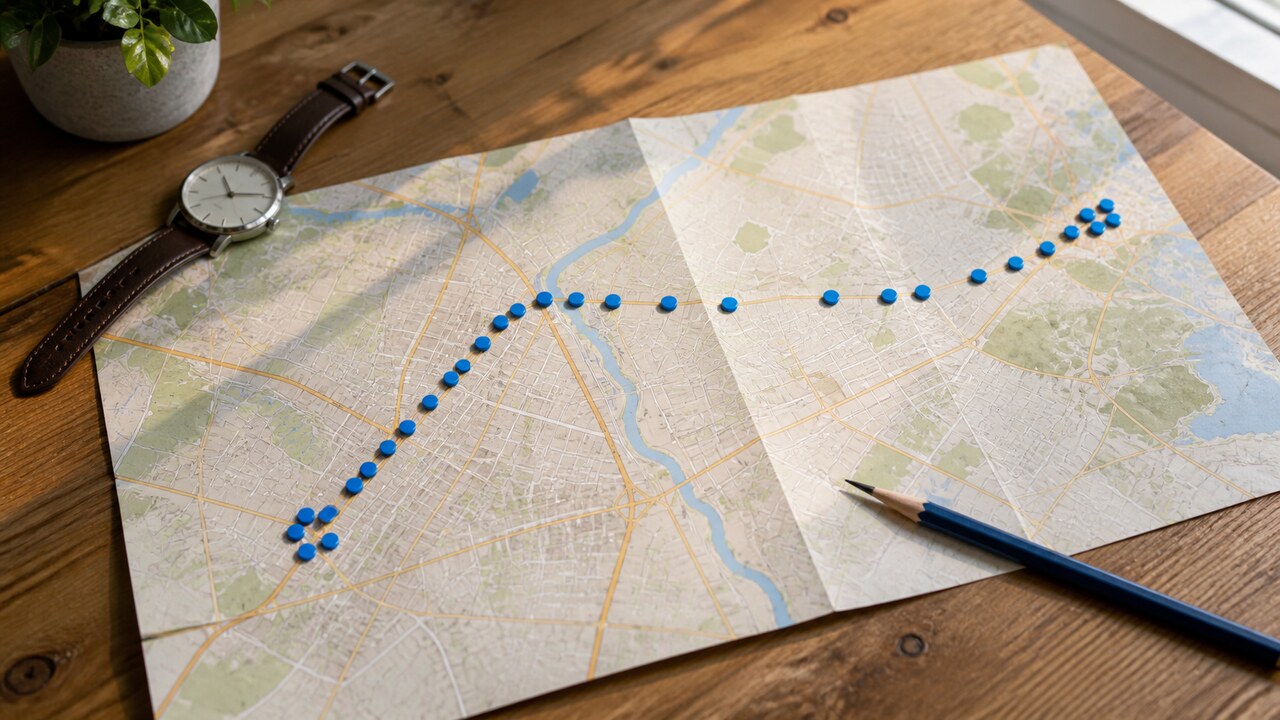
Location history lets you look back at where a tracker has been. Choose a time range, press play, or move the timeline to review a journey at your own pace. It is useful when you want to check when a vehicle left, revisit a recent route, or see how a trip unfolded.
Here are three straightforward ways to use it.
1. Replay a recent journey
Open Location History from the ShieldGPS map and choose the period you want to see. Quick options cover the last hour, one day, or three days, and you can enter a custom start and end time for a specific journey.
Press play to watch the marker move through the recorded positions. You can pause at any point, drag the timeline to another moment, jump forward or backward in five-minute steps, or increase the playback speed. The route stays on the map, so it is easy to follow the journey from beginning to end.
If you have several trackers, filter the map to the one you want before you begin. The amount of history available depends on that tracker’s service plan.
2. Check a time and place
Sometimes you do not need to replay the whole journey. You may only want to know roughly when a vehicle left, arrived, or passed through an area.
Move the timeline to the part you care about and pause on the marker. The playback clock shows the time you are viewing. Click the historical marker to open its details and, when an address is available, see the address for that position. The marker and address together make it much easier to recognize a stop or destination without working from coordinates alone.
Trip start and trip end markers can provide more context. If you have set up a geofence, its entry or exit alert can also help you connect the journey with a place that matters to you.
3. Revisit stops and routes
Location history gives you a convenient way to return to a recent trip after it has happened. You can review the path on the map, pause around a likely stop, and compare nearby timestamps to understand the order of events.
This can be helpful when checking a delivery, confirming the timing of a visit, or remembering how a journey was completed. Start with a focused time range so the route you need is easy to find.
A quick note about map points
Location history shows the positions reported by the tracker. Small shifts or occasional gaps can happen, and the line between two points is not meant to be a turn-by-turn reconstruction of the exact road taken.
For a fuller explanation, read what GPS tracking can and cannot tell you. For everyday use, the marker, address, timestamps, and playback controls usually give you the useful context at a glance.